Needle In A Haystack Controls
A first-person grab game with full controller support — bind it before the pile melts your wrist.
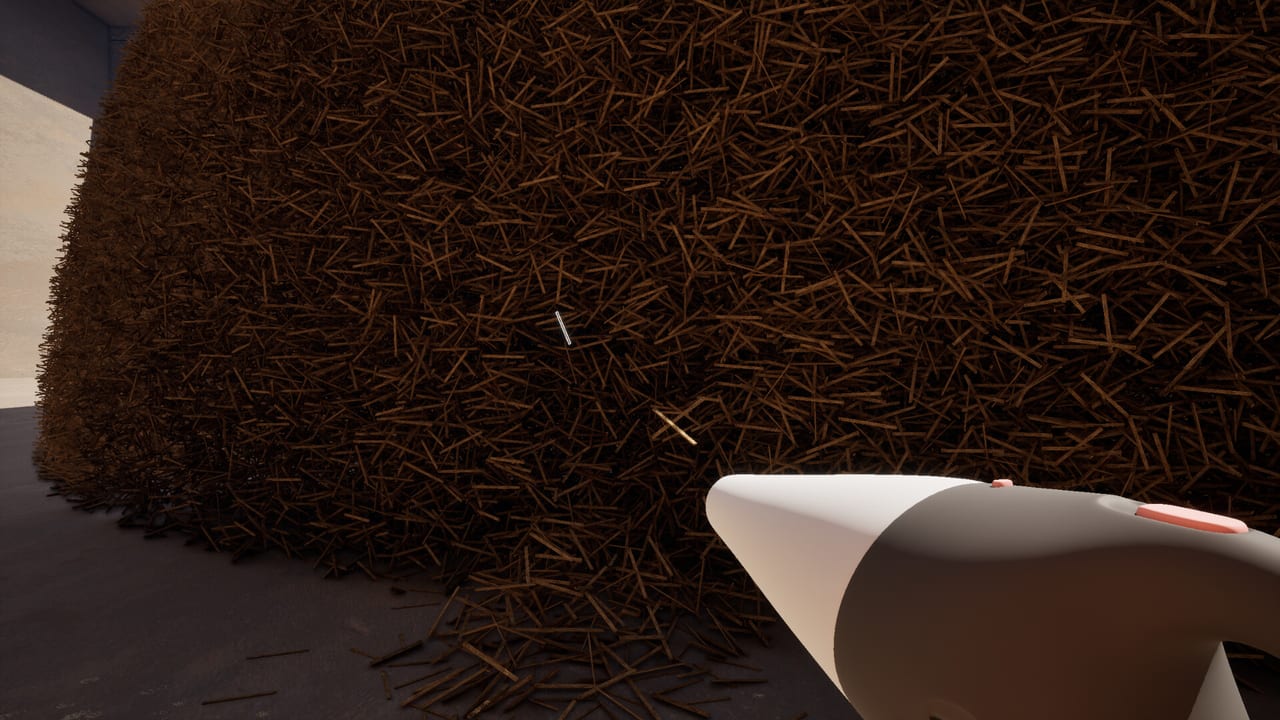
Needle In A Haystack Simulator is a first-person search. Steam lists full controller support and Steam Input. That is the entire official control sheet we have before launch. This page turns that into a practical binding plan so you do not learn the pile with a default look-speed that makes the needle smear into hay.
There is no published key list from Studio Bitdot yet. Treat every specific key below as a recommendation for Q4 2026, then replace it with the in-game prompt the moment the build ships. If a patch adds a control screenshot, the updates hub will note it.
What you need the scheme to do
From footage and screenshots you must be able to:
- Look across a huge hay face without nausea.
- Move around the dome, along conveyor lines, and up to the pile.
- Grab / throw hay as the primary verb.
- Use a held tool — blower, detector, rake — without opening a maze of menus.
- Interact with sell points, shop benches, and belt pieces when those exist in the build.
- Pause / menu without yeeting the needle because you hit the same button as grab.
If your layout cannot do those six things with one hand on the mouse or a thumb on the right stick, it will fail a long session.
Mouse and keyboard (suggested)
Until official bindings exist, start from a standard FPS layout and protect the grab key.
| Action | Suggested bind | Why |
|---|---|---|
| Look | Mouse | Fine aiming for a silver glint |
| Move | WASD | Circle the dome |
| Grab / pick | Left click or E | Primary verb; pick one and never reuse it for jump |
| Throw / drop | Right click | Separate from grab so you can inspect |
| Sprint / walk toggle | Shift | Walking is better for scanning |
| Crouch | Ctrl | Floor-line needle checks |
| Use tool | F or mouse 4 | Detector ping vs blower burst |
| Interact / sell | E or F (the one grab is not using) | Shop and belts |
| Push-to-talk | Thumb mouse or V | Co-op callers |
| Pause | Esc | Must not share the grab key |
Turn mouse acceleration off. You are hunting a still object, not tracking a strafing player. Lower sensitivity until you can pan across a screenshot of the hay wall and still pick out the needle from how to find the needle. If you cannot do that in a still image at your look speed, you will not do it live.
Controller (suggested)
Steam’s full controller support means a pad should be first-class, not an afterthought. A mixed lobby of mouse and pad is likely — see the co-op guide.
| Action | Suggested bind |
|---|---|
| Look | Right stick |
| Move | Left stick |
| Grab | RT |
| Drop / throw | LT |
| Use tool | LT click or RB |
| Interact | A / Cross |
| Crouch | B / Circle |
| Sprint | L3 |
| Menu | Start |
Right-stick sensitivity: start low. Add a small inner deadzone so a tired thumb does not drift off a glint. Aim assist should be off if the game even offers it — you are not snapping to enemies.
Trigger grab (RT) is better than a face-button grab for hours of picking. Your thumb needs to stay on the stick so you can look while you pull. That is the whole reason to prefer a controller for meditative sessions and a mouse for “I think I saw metal.”
Accessibility and endurance
Five million pieces is a repetitive-strain joke. Practical rules:
- Rebind grab away from a tiny mouse button if your finger complains after twenty minutes.
- Use a toggle walk if hold-to-walk exists.
- Take breaks on a timer. Fatigue hides the needle more than bad luck does.
- If you have one usable hand, a pad with RT grab plus stick look is usually kinder than WASD plus click.
- Colour: the needle is silver on brown. If that contrast is hard, sit closer, raise brightness, and rely on the detector when you unlock it (tool ranking).
Steam has not listed colour-blind filters or remapping screenshots. If they appear, this page will point to them. Until then, use Steam Input’s own remap layer — that is why Steam Input is listed.
First-session control checklist
- Finish getting started so you know which verbs exist.
- Set look speed using a hay screenshot, not a deathmatch habit.
- Confirm grab and menu are different keys.
- Bind a dedicated tool button before you buy a blower. Accidental boosts throw hay — and maybe the needle — off-screen.
- In co-op, agree on push-to-talk. Open mics plus eight blowers is noise, not calling.
- After ten minutes, stop and ask whether your wrist or thumb already hurts. If yes, rebind now, not after day three.
Related setup
Performance can feel like a control problem. If the pile stutters while you look, you will skip glints. Check system requirements before you blame your mouse. If you intend a no-tool run, practise the low-sensitivity stare in pure mode. If you intend a factory, you will also need binds for belt placement — we will add those when Steam shows them.
Controls will not find the needle for you. They only decide whether you are still able to look at hay after an hour. Bind for that hour, then go back to how to find the needle and actually search.
Frequently Asked Questions
Quick answers about finding the needle.
Does Needle In A Haystack support a controller?
Yes. Steam lists full controller support and Steam Input. Suggested binds are on this controls page.
What is the official key list?
Not published yet. Use the suggested layout here and replace it with in-game prompts at launch. Watch updates for a screenshot.
Mouse or controller for searching?
Mouse for spotting a glint, controller for long grab sessions. Mixed lobbies are covered in the co-op guide.